Can I Justify Spending $744 on Marketing Tools in 2026? What I Learned About Finluency While Deciding
I modeled a $744 annual marketing stack—Webflow, Ghost, Mailchimp—to see if I could justify the cost as a pre-revenue solopreneur. The cash flow impact surprised me, and the process revealed where Finluency needs clearer budgeting, better filtering, and a more intuitive view of constraints.


I have been considering moving away from HubSpot's marketing platform and using Webflow, Notion, and Mailchimp because of its complexity. I am also exploring Ghost for my personal blog.
Webflow and Ghost have an immediate cost impact that I have avoided by using HubSpot's free plan for Finluency's website and a low-cost Medium subscription for my personal blog. Even though the total yearly cost of all the platforms is relatively low at $744, it still has an impact. As a bootstrapping solopreneur, all business expenses impact my personal finances. The money has to come from somewhere, and when you are pre-revenue, it will come out of your personal accounts.
Fortunately, cash flow management is precisely why I am building Finluency, so I plugged in the number to see the impact and learned a few things about the tool.
Here are the steps I took.
Step 1: Collected My 2026 Monthly Business Budget Information
Early in December, I planned my whole year of bills, forecasted expenses, and budgeted and projected incomes using Finluency.
My business budget was set at $400 a month, and I already have monthly expenses that eat up part of it. Also, there are months when I have more expenses than others, so a general 400-a-month budget does not paint a clear picture; I wanted to set each month's budget independently.
This proved to be challenging.
The category filter set to budget returns all budget items. I had to sift through all the budget items for the year to find the allocations for the business budgets.
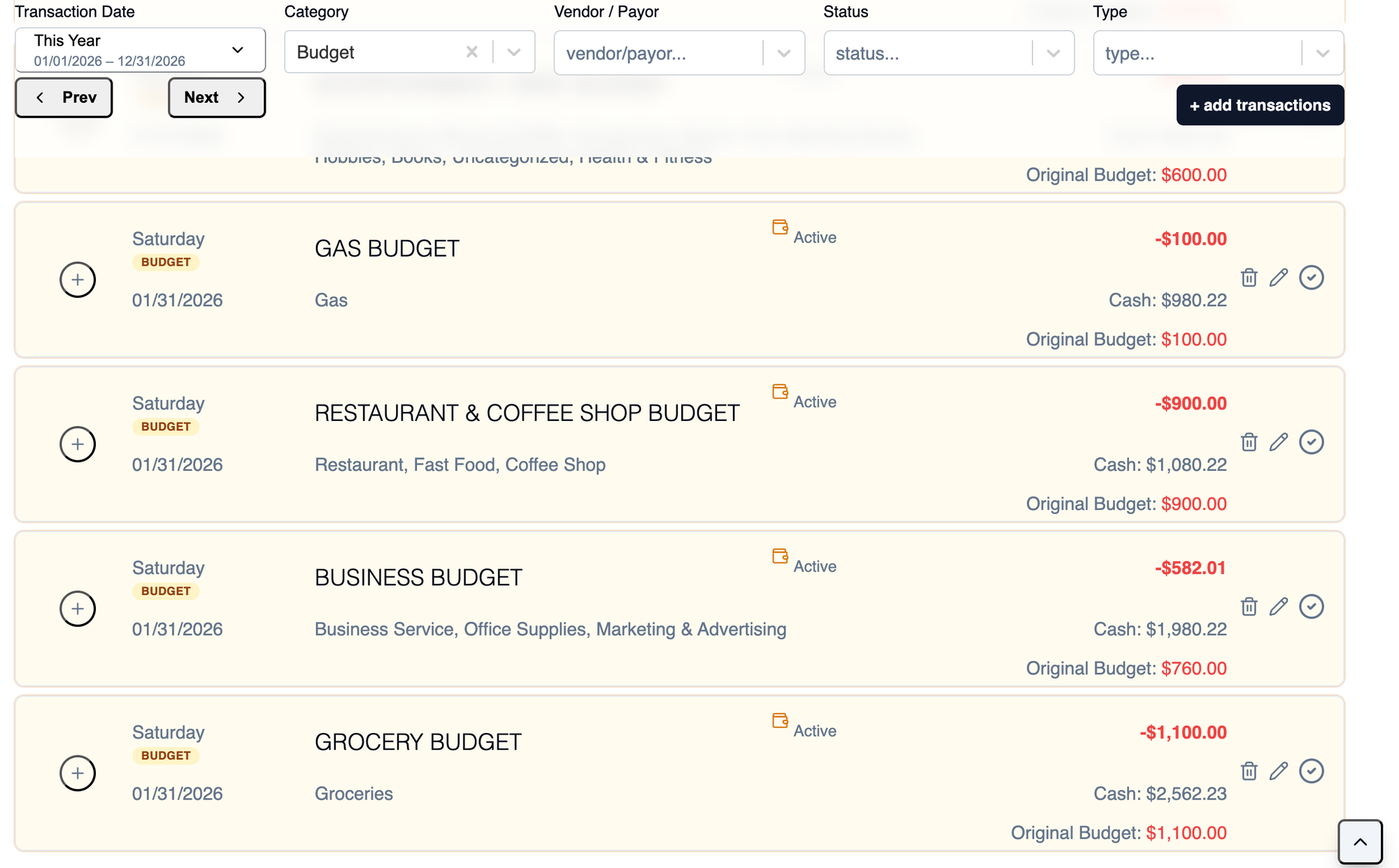
Step 2: Collected the year's business budgets into a spreadsheet
Since I couldn't get a clear view of the year's business budgets in the app, I had to resort to putting them in a spreadsheet.
This is common for financial analysis, but I feel this should be handled in Finluency.
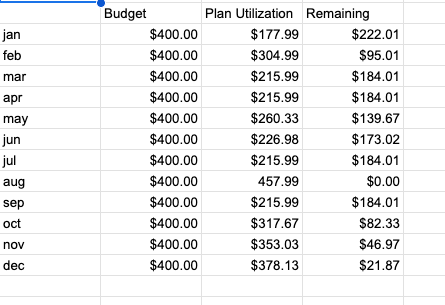
Step 3: Adjusting the budgets
Using the spreadsheet, I adjusted the budgets based on when I planned to incur business expenses. This provides me with a more accurate forecast for the year.
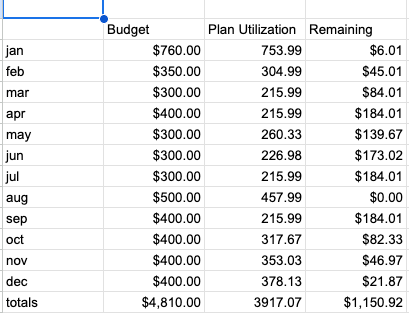
Step 4: Adjusted the budgets in Finluency
Wanting to capture these adjustments in Finluency, I updated each month's business budget transaction accordingly.
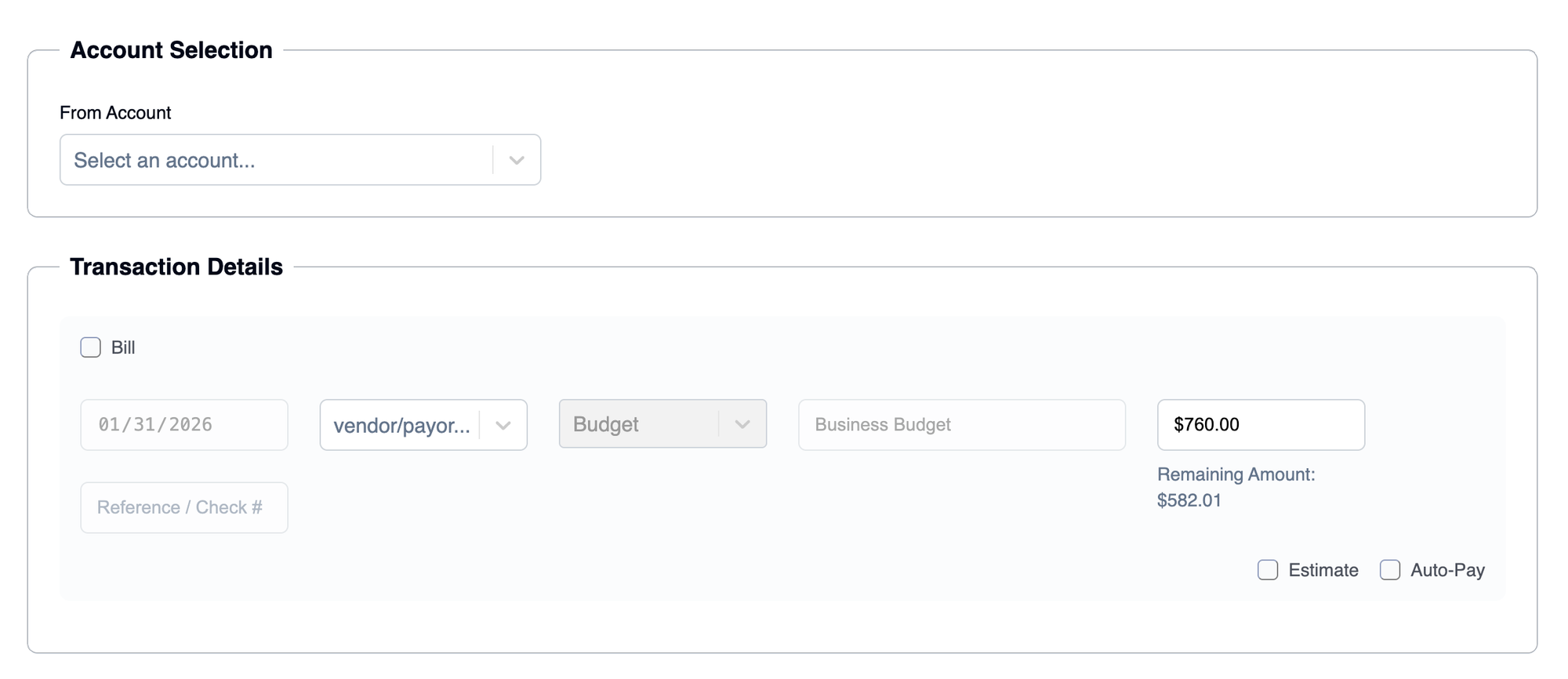
What I learned from this real-world case
Opportunity
- All budget transactions are created with a budget category, so filtering for the budget category returns all budget transactions.
Short Term Solution
- Add a filter for budget name.
This creates visibility without redesigning the sytem. - Budget Category -> Umbrella
- Budgte Name -> The disambiguator
- Result: Isolated budgets
Long Term
- A more robust budget display that answers the questions people actually have.